Use the REST API
Send a key as a bearer token, call /api/v1, and read the OpenAPI spec.
Last updated
Before you start
- A yaya account. About 5 minutes.
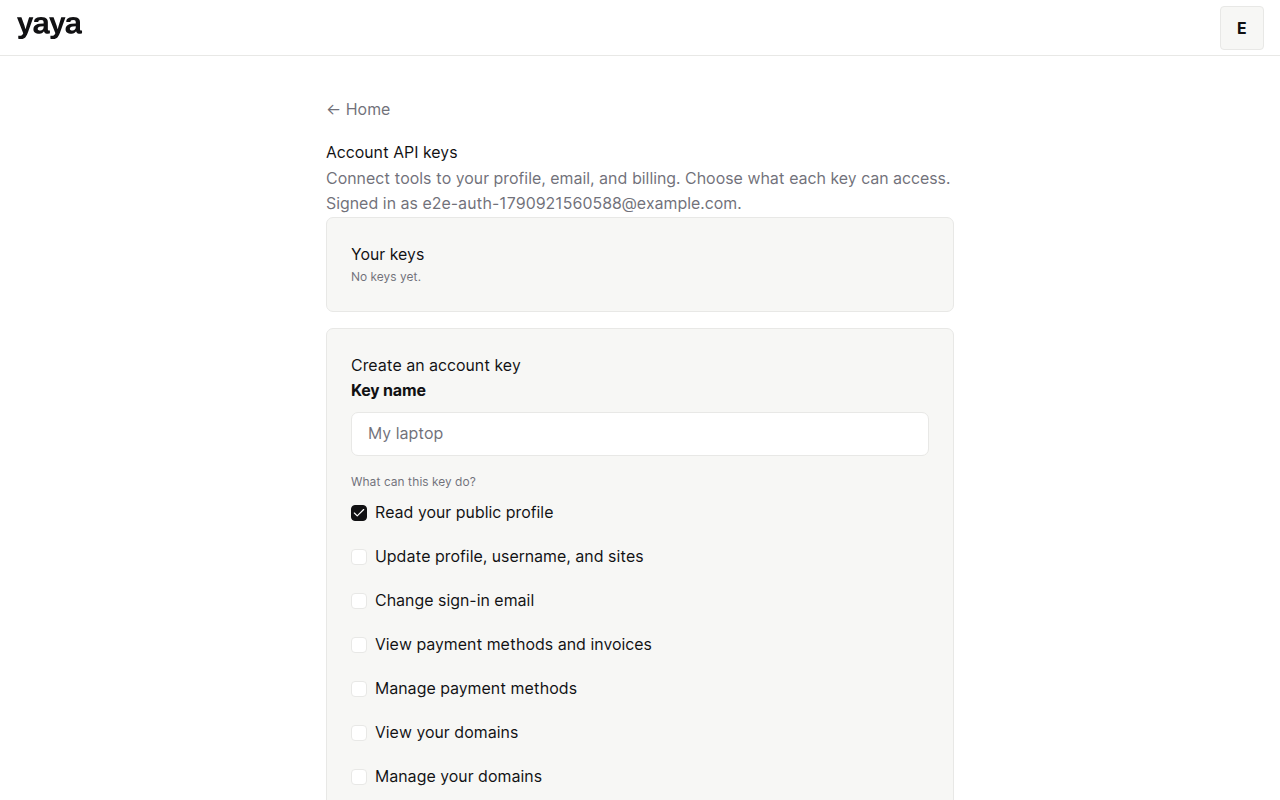
- A key. Make an account key at
/settings/api-keyswhile signed in. See API scopes and rate limits.
Call the API
- Create a key at
/settings/api-keysand copy it. yaya shows it once. - Send it as a bearer token on every request.
- Call a route under
/api/v1onhttps://api.yaya.page.
curl https://api.yaya.page/api/v1/profile \
  -H "Authorization: Bearer yaya_ak_..."
Account keys start with yaya_ak_. Workspace keys start with yaya_sk_ and belong to one business. A workspace key never works on account routes.
Read the contract
The API reference lists every live endpoint with its scopes and a curl example. GET /openapi.json on the app returns the full OpenAPI document, with every request, response and error shape.
Read an error
Every error is JSON with error, code, message and request_id. The same id comes back in the x-request-id header. Quote it when you write to support@yaya.page.
The code is one of: bad_request, invalid_json, invalid_request, unauthorized, forbidden, not_found, conflict, gone, rate_limit_exceeded, service_unavailable, internal_error.
Fix common problems
401 unauthorized. The key is missing, revoked, expired or not valid for that workspace. See Fix API authentication errors.
429 rate_limit_exceeded. Wait for the Retry-After seconds, then retry.
Was this guide helpful?
Still stuck? Email support@yaya.page.