Rebuild your site from its URL
Paste your current website address and yaya drafts your business description from that page.
Last updated
Before you start
- A public web page, like your old site's home page.
- A few minutes to check and edit the text yaya fills in.
Import your page
- Open yaya.page/onboarding.
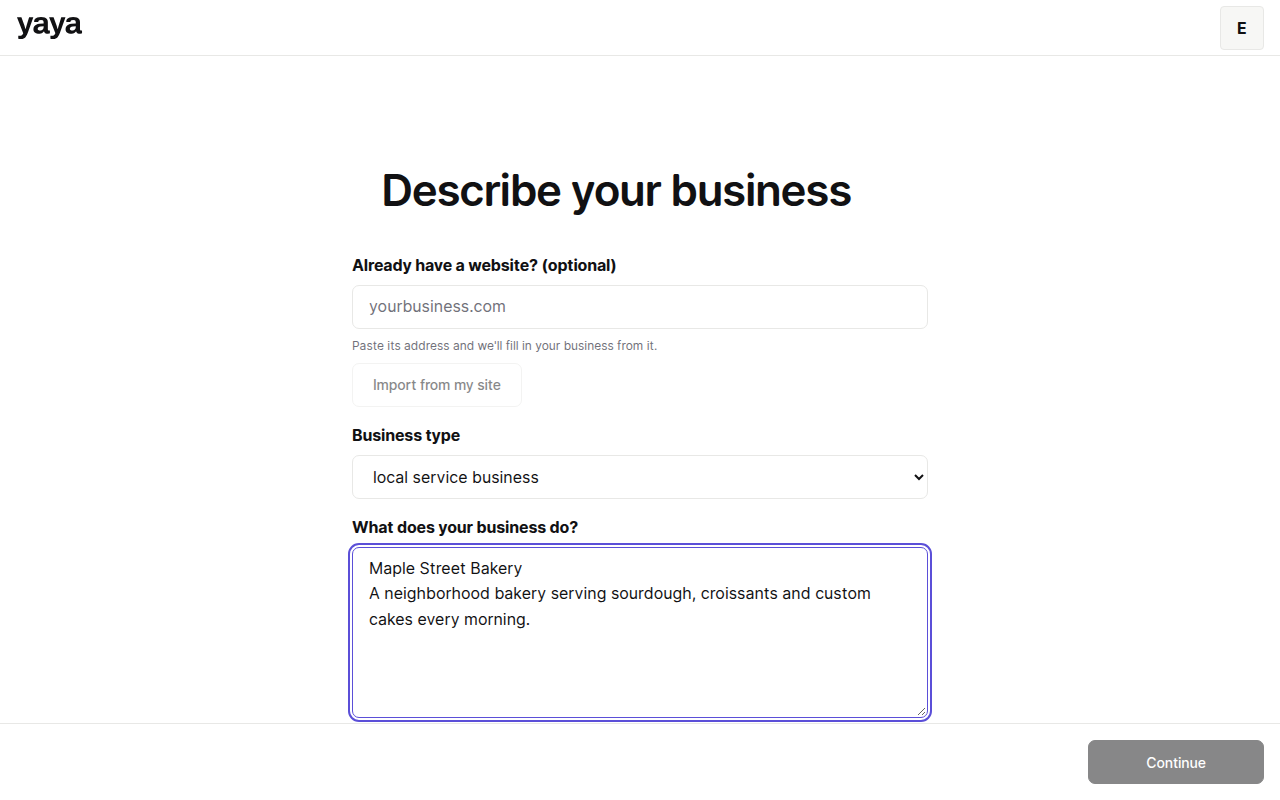
- Type your address under Already have a website? (optional). For example, yourbusiness.com.
- Click Import from my site.
- Wait for the message that starts with "Imported".
- Read the description that appeared and fix anything wrong.
- Click Continue and finish the location step.
- Click Next.
What the import reads
It reads one page. From that page it takes the business name, the page description, the first three paragraphs, and a phone number and email address if it finds them. It puts that text in the description box, and yaya generates the draft from it.
The message also shows how many images it found. The import does not copy them.
What it does not do
It does not copy your other pages, your blog, your images or your design. The result is a new site written from your description. To move posts and images, see Move your blog and images.
For the full process, start with Move your site to yaya.
Fix common problems
Enter a public web address. Use a full domain like yourbusiness.com. Pages behind a login cannot be read.
We could not read that site. The page was too slow, too large or blocked. Describe the business by hand instead.
That address is not a web page. The address returned a file, not HTML.
Too many imports. Wait a minute and try again. The limit is 6 per minute.
Was this guide helpful?
Still stuck? Email support@yaya.page.