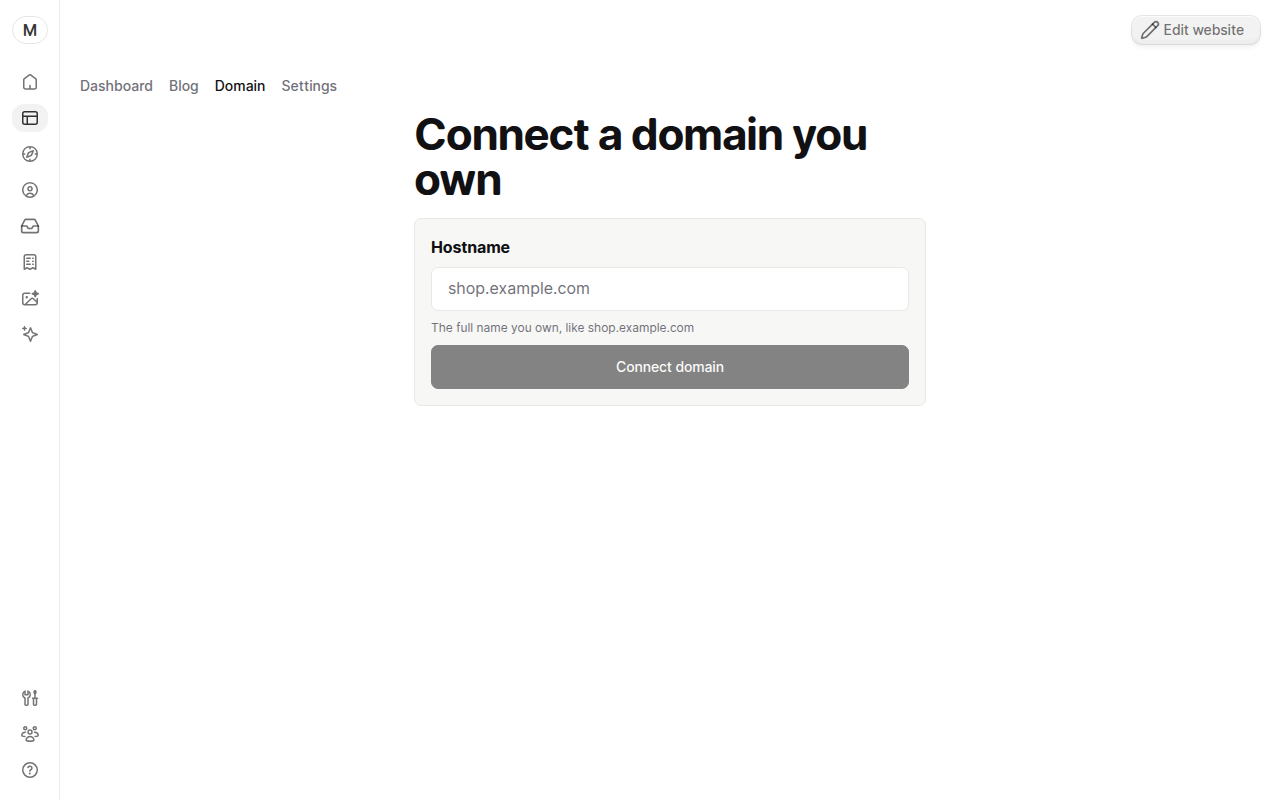
Connect a domain you own
Point a domain you already own at your yaya site by adding one DNS record at your provider. Free on every plan.
Last updated
Before you start
- Any plan. Connecting a domain you own is free on Free, Launch and Grow, and yaya adds no fee for it.
- Login access to wherever the domain's DNS is managed.
- A published site.
About 10 minutes, plus waiting for DNS.
Pick your provider: Find where your DNS is managed.
Connect the domain
- Open Website > Domain.
- Type the full name in Hostname, like
shop.example.com. - Click Connect domain.
- Read the DNS steps yaya shows. Copy the record exactly.
- Log in at your DNS provider and add that record.
- Save the record, then return to yaya and click Check again.
yaya re-checks every 15 seconds while the page is open. When DNS resolves, yaya sets up HTTPS on its own. There is no deploy step.
The card changes to Connected when visitors can reach your published site on that name. Your free yourname.yayasite.com address keeps working while you wait.
Fix common problems
The card says "Waiting on DNS". The record is missing or has not spread yet. See Fix a domain that won't verify.
The page says "Only owners can connect domains". Ask a workspace owner to do it.
A bare domain like example.com. The record is different from a subdomain. See Use a subdomain or www.
Questions
Can I connect more than one domain? Yes. A site can hold up to 10 by default. Click Connect a different domain.
Was this guide helpful?
Still stuck? Email support@yaya.page.